API
An API for everything the app does, by the app's own rules
L'équipe Taktoria7 min de lecture
Cet article est rédigé en anglais.
Most APIs for workplace software are an afterthought. They arrive when a large customer asks, cover the half of the product that was easy to expose, and check permissions in code written a second time by somebody who was not in the room when the first version was argued over.
The two copies drift. The app refuses something the API allows, or the other way round, and nobody notices until an integration does what the app would never have let a person do. We built Taktoria's API so that cannot happen, and this is how.
Why APIs drift from their apps
The usual shape is a product with a web app on top of its database, and an API added later beside it. The web app's rules live in its controllers, its forms and, more often than anyone admits, its front end: the button that is greyed out is the permission check. The API needs the same rules, so somebody reads the controllers and writes them again.
That works on the day it ships. Then the app gains a rule. Key results get owners of their own, and only they may check in on them. A go link can name its editors. A Dory event can be closed to a list of hosts. Each change lands in the app, because that is where the people asking for it are looking, and the API keeps the old rule until somebody files a bug.
There are two common answers, and neither holds up:
- A read-only API. Safe, and useless for the work people actually want to automate, which is nearly always a write: record this, assign that, move this date.
- An admin API. Every call runs with full rights, and the integration is trusted to behave. That is the drift problem made into policy, and the audit log fills up with a bot nobody remembers creating.
The underlying mistake is treating the API as a second product that has to be kept in step with the first. Anything kept in step by hand will eventually fall out of it.
One function per rule
In Taktoria, each thing an app lets you do is one function on the server, and it takes two arguments: who is acting, and what they asked for. It decides whether they may, does it, and returns either the result or a reason it refused. It knows nothing about requests, redirects or languages. The console's forms, the REST API and the MCP servers are three thin callers of the same function.
Take a check-in in OKR Hub: recording where a key result stands, with a score and a note. The form on the key result's page, POST /key-results/{keyResultId}/check-ins and the record_check_in tool all end in recordCheckIn. It asks the same questions every time. Can this actor see the key result at all? If not, it is not found, whatever the body says. May they update it: an owner of the key result, somebody who may edit its objective, or an admin of OKR Hub? Is the score between 0 and 1? Is the moment it was recorded for in the past?
It also keeps the rule that makes OKRs worth reading: a check-in is never edited. A correction is another check-in, because the point of the history is what was believed when. We argued for that in OKRs that stay honest, and the API keeps it because it has no way not to. There is no endpoint that rewrites history, because there is no function that does.
What changes between callers is only the gate in front. The console reads the signed-in person and their seat. The REST API reads a key or a session, counts the request against its rate limits and checks the scope. MCP checks the assistant's token. Each hands the rule an actor, and from there they are the same code. When a rule changes, it changes once.
Keys, scopes and sessions
The API takes two kinds of credential, because there are two kinds of caller.
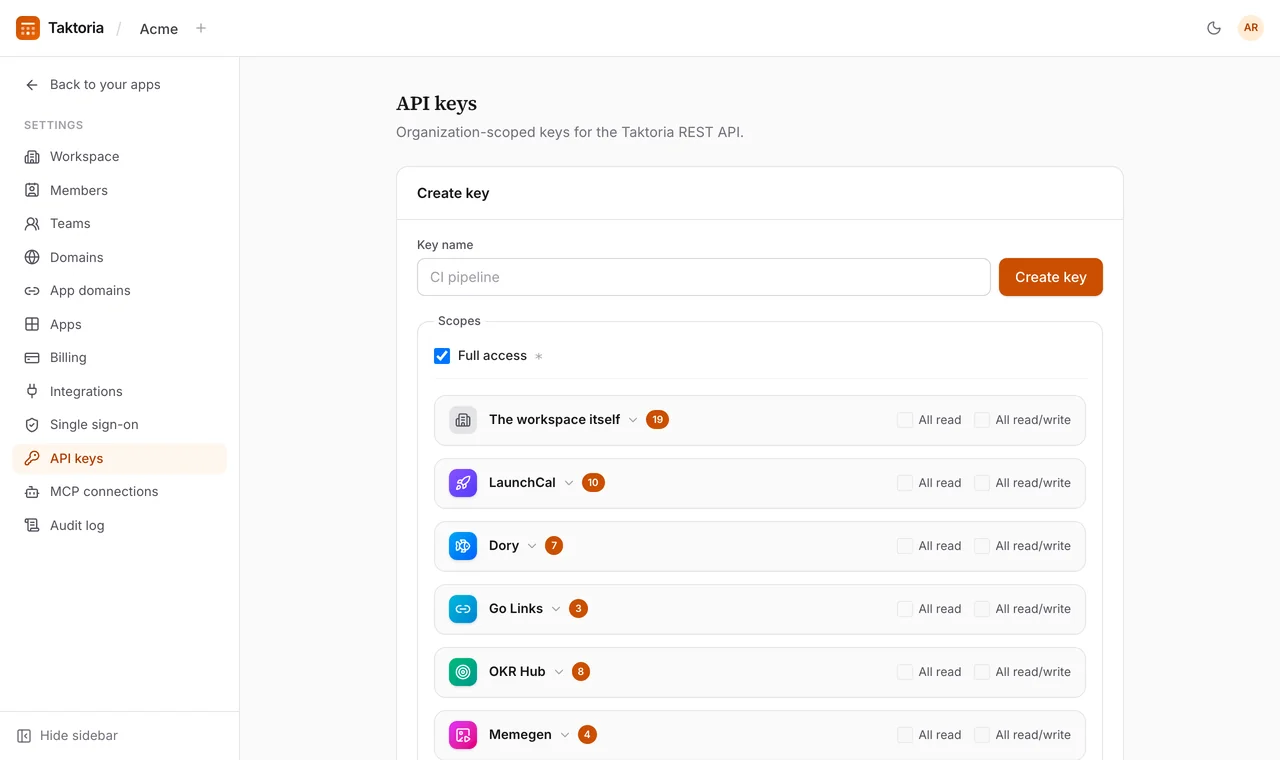
An API key is for automation. Only a workspace admin can create one, in Settings → API keys, and it carries a list of scopes, each resource:verb: launches:read, checkIns:write, golinks:* for every verb on one resource. The secret is shown once; we keep only a SHA-256 hash of it, so a lost key is replaced, not recovered. A key speaks for the workspace within its scopes, and what it writes is still put down to a person: the audit log names the admin who made the key, with the key beside them.
The scopes come from one list that both the key form and the checker read, so the picker and the gate cannot disagree about what a scope means. And every scope in that list has endpoints behind it. A scope that nothing serves reads, to whoever holds it, as access they have. It goes in the list on the day its endpoints do.
A signed-in session is a person, and gets no more through the API than the app gives them. Reads are filtered to what they may see; a private objective they have no part in is a 404. A Viewer of an app is refused its write scopes with 403 viewer_only before anything runs. A workspace that requires Google sign-in refuses any session made another way.
Recording a check-in with a key looks like this:
curl https://api.taktoria.com/api/v1/key-results/$KEY_RESULT_ID/check-ins \
  -H "Authorization: Bearer $TAKTORIA_API_KEY" \
  -H "Content-Type: application/json" \
  -d '{"score": 0.6, "note": "Two regions live; the third moved to November."}'
The key needs checkIns:write. Without it the answer is a 403 naming the scope, and nothing is written.
Workspaces, limits and the record
Three more things hold for every request, whichever app it is for.
It stays in its workspace. A key belongs to one workspace and a session picks one, by the X-Organization-Id header if the person is in several. Every read and write is scoped to it. Something in another workspace is a 404, indistinguishable from something that does not exist, and the same is true of something in your own workspace that you may not see. An API that says "forbidden" where it means "not yours" has already told the caller it exists.
It is counted before it is checked. Every authenticated request is rate limited before its scope is looked at: 600 reads and 120 writes a minute for a key, 300 and 60 for a session, and 3,000 and 600 a minute across every key and MCP connection in a workspace together. The window slides, so no allowance arrives all at once. A few endpoints that cost more, such as search, have a budget of their own on top. Every answer carries the IETF RateLimit headers, so a client can slow down before it is told to, and a refused request gets 429 with Retry-After and has done nothing, so it is safe to send again. A key that is being refused does not use up what the workspace's other keys share.
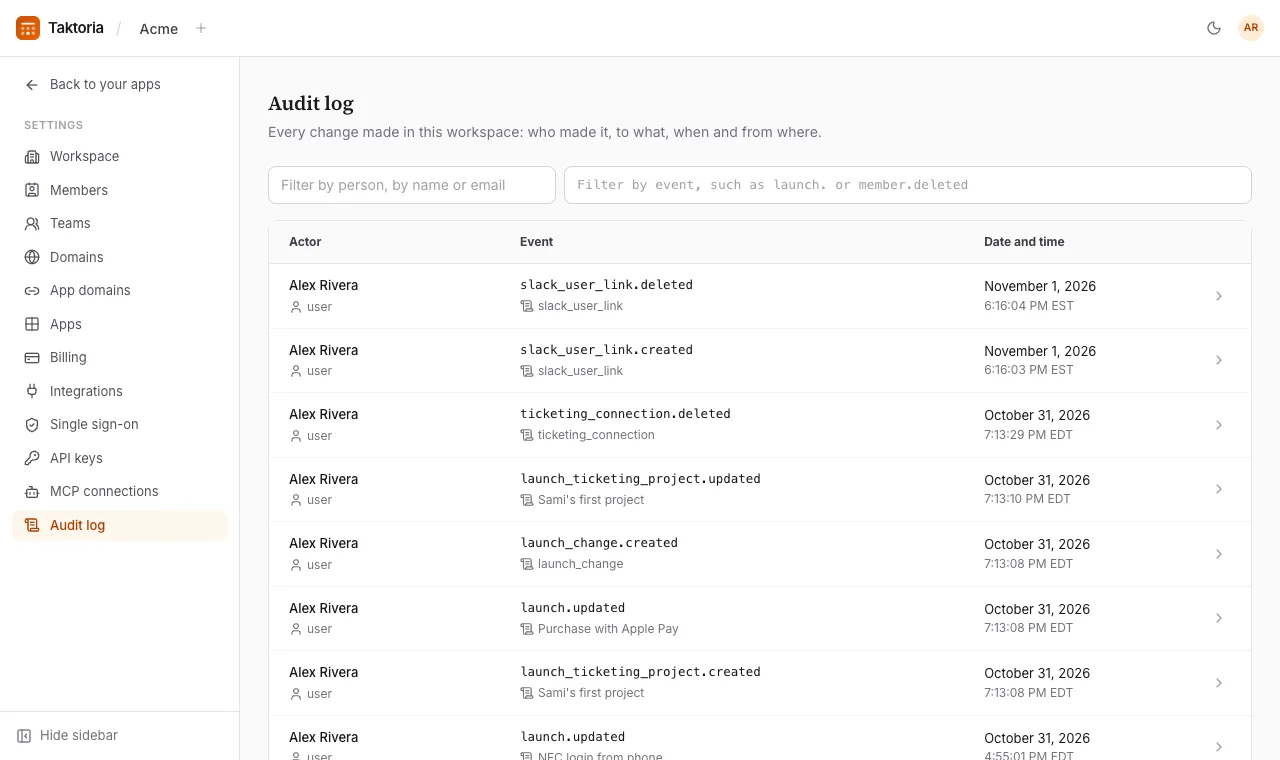
It is on the record. Every write lands in the workspace's audit log: who, what, when and from where, whether it came from the console, a key or an assistant. A workspace admin can read it in Settings → Audit log, and a key with auditLogs:read can read it through the API, which is how it reaches a security team's own tools.
A reference you can trust, and what to take from this
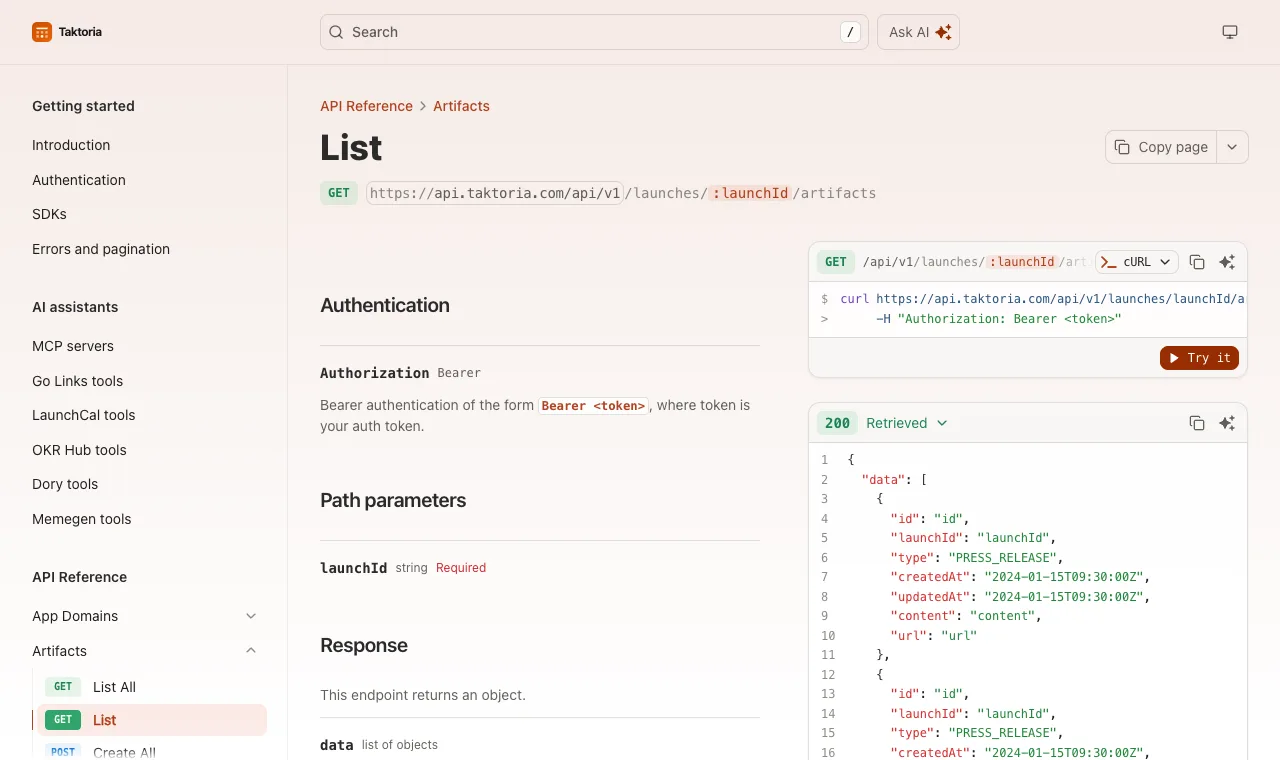
An API is only as useful as its reference is accurate. Ours is written once, as a Fern definition, and everything else is generated from it: the reference at docs.taktoria.com, an OpenAPI 3.1 file served at https://www.taktoria.com/openapi.yml for Postman, Insomnia or any generator, and typed clients for TypeScript and Python generated from it too. Every endpoint has a method and every response a type, and the generated clients retry a 429 on their own, waiting as long as Retry-After says. CI fails when the OpenAPI file falls behind the definition, so the file cannot quietly describe last month's API.
If you are building an API for your own product, most of this applies whatever you use:
- Put the rule below the transport. A function that takes who is acting and what they asked, and returns data or a reason, can be called from a form, an endpoint and an agent. A rule inside a controller can only be copied.
- Make the caller a value. A person, or the workspace for a key. Once the rule takes an actor, nothing about it depends on how the request arrived.
- Treat "not yours" as "not there". A
404for another tenant's data, and for your own tenant's data you may not see. - Keep one list of scopes, read by the form that grants them and the code that checks them, and offer no scope that serves nothing.
- Count first, then check, and say how much is left on every answer.
- Generate the reference. A hand-written reference is a third copy of the rules.
The API covers all five apps, and the workspace's own settings: members, seats, roles, teams, domains and billing. If you want to see it from the other side, the reference starts with a single curl, and a key takes a minute to make.
Notre façon de penser les lancements, les OKR, les réunions, les liens et les mèmes, et l'API et les assistants IA qui sont derrière.
Lire la référence de l'API